Introduction
Choosing an A3 printer is vital when it comes to making top quality prints for posters and blueprints. Businesses and creative professionals that need larger formats for presentations, graphical documents or technical schematics will find A3 printers to be essential. There are different technologies, sizes and capabilities in the market and it can be overwhelming to choose. The purpose of this article is to help you navigate the major points of the A3 printer so that you can make an informed choice that is best for you.
More information on the subject and offer
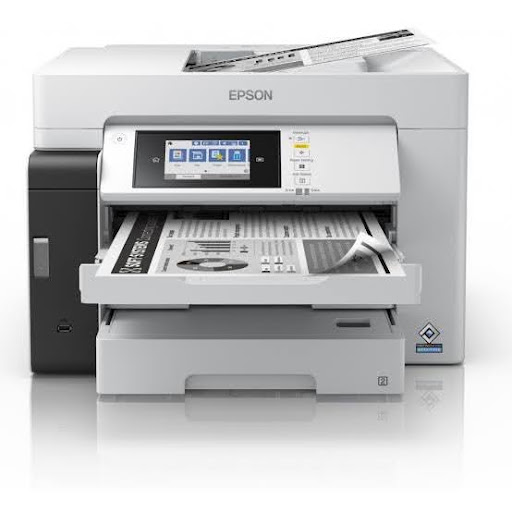
A3 printers are versatile and can be used for various applications, such as graphic design, architectural drawings, and educational resources. They have been created for media diversity and are able to be used for printing posters, blueprints and detailed graphics. Large format printers can show a tremendous difference in your work. Large format printers often have even larger sizes but when it comes to A3 jobs they are excellent as well. So, by knowing your particular printing requirement, budget and attributes, you will be able to choose the best A3 printer for your projects.
Features and benefits of the product.
Print Quality
high resolution and colour output will make your posters and blueprints stand out and look professional.
Versatility of media
A3 printers can print different types of media such as photo paper, card stock and special media.
Speed
Today’s A3 printers have increased print speeds allowing you to print larger jobs in record time.
Connectivity Options
For easy printing from various devices, such as smartphones and tablets, there are some connectivity options like Wi-Fi and USB.
Easy-to-Use Interfaces
Numerous A3 printers feature user-friendly touchscreen interfaces and control panels, reducing the learning curve.
Top 5 best selling products of A3 printer category in market (Price & Specification).
Canon imagePROGRAF PRO-300
Price: Rs. 58,000
Specifications: 10-color LUCIA PRO ink system, Maximum resolution of 4800 x 2400 dpi, and print speed of up to 18 ipm.
Epson SureColor P700
Price: Rs. 48,999
The media it works with includes various media types, the maximum resolution is 5760 x 1440 dpi and the ink used is UltraChrome HD ink in 10 colours.
HP DesignJet T210
Price: Rs. 34,500
Specification: Compact design, Print resolution of up to 2400 x 1200 dpi, and compatible with HP Smart app for mobile printing.
Brother MFC-J6945DW
Price: Rs. 30,000
Specification: Multifunction A3 Printer, Speed of printing is 22 ppm, Automatic duplex printing.
Xerox Color C60/C70
Price: Rs. 4,00,000
Professional level colour printing, various media sizes, high month duty cycle.
Buying guide
Set your budget
Decide the amount of money that you are willing to invest in an A3 printer, including all expenses like ink and paper.
Know what you need to print
Take into account the amount of printed material you make on a regular basis and choose the printer that can produce documents of the sizes and qualities you need.
Assess print quality
Printing quality is determined by the number of dots per square inch (DPI) a printer can achieve; the higher the DPI the better the quality, particularly in the case of color pictures and technical drawings.
Test for connectivity
Make sure the printer you select is compatible with the required connectivity features you are looking for (like Wi-Fi or USB support).
Evaluate extra features
If you require extra features such as faxing, scanning or copying, you need to look for multifunction A3 printers.
The advantages of taking Bajaj Finance’s financing platforms:
Easy EMIs
You can avail easy EMI options from Bajaj Finance while you make your purchase, making it budget-friendly. The best choice for someone who wants to control his/her finances better but not sacrifice quality.
Zero Down Payment
You can buy your desired A3 printer from Bajaj Finance without paying any down payment. This can save you the hassle of paying a deposit for the printer you need, and you can purchase it as soon as you need it.
Flexible tenure of repaying
Bajaj Finance has a flexible tenure of repayment that ranges from 1 month to 60 months. This flexibility enables you to choose a repayment plan that aligns with your financial situation, ensuring that you’re comfortable with your payments.
To purchase a product through the Bajaj Finance EMI Network Card, follow the steps below.
Visit a Bajaj Finance Partner Store
Find a partner store that offers the A3 printers you’re interested in and take a trip to explore your options.
Find Your Preferred brand and model
When shopping, look for different models and brands of phones that are available that have the features you are looking for.
Choose a Suitable easy EMI Plan
Inform the staff of the shop about the available EMIs and select the most suitable one.
Complete Your Purchase Using the EMI Network Card
Present your Bajaj Finance EMI Network Card to make the payment and finalize your purchase seamlessly.
Conclusion
When searching for the perfect A3 printer for posters and blueprints, understanding the specifications, costs, and functionalities is essential. With the various options available and the different needs you may have, you can be confident about your choice of printer that will enhance your printing experience. Taking the help of financing methods offered by Bajaj Finance, you can make sure that your investment is feasible and versatile to your monetary demands. A business owner, an architect or a professional designer, an A3 printer will definitely help you boost your productivity and creativity. Select the right model, and watch your projects come to life!
author bio – Sachim Swami is a technology and consumer electronics writer who shares informative content on printers, gadgets, business products, and technology trends. His articles focus on product features, specifications, pricing, and practical buying guidance to help readers make informed decisions.
Author Website: Global Trend Point